NAS Cloud Storage: Improving Data Accessibility and Storage Flexibility
Discover how NAS cloud storage supports centralized files, remote access, scalability, security, collaboration, and backup planning for modern businesses.
Modern organizations rely heavily on digital information. Business documents, customer records, application data, project files, databases, media assets, and backups all contribute to an organization's growing storage requirements. As businesses expand their digital operations, managing this information efficiently becomes increasingly important.
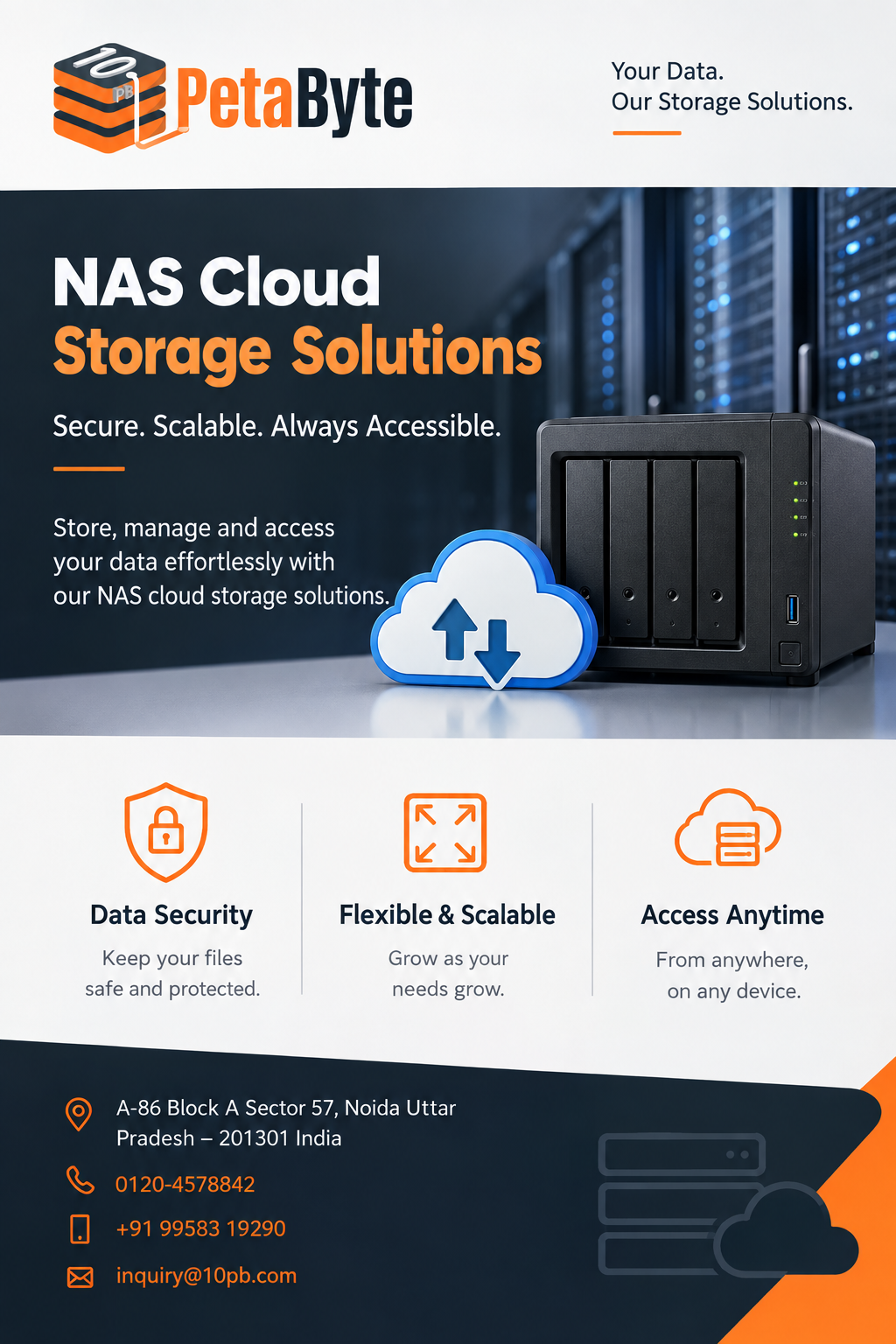
Traditional storage infrastructure can provide dependable local access, but it may become challenging when organizations need greater capacity, remote accessibility, centralized management, and flexible expansion. NAS cloud storage offers an alternative approach by combining the shared-storage concept of Network Attached Storage with the accessibility and scalability associated with cloud infrastructure.
What Is NAS Cloud Storage?
Network Attached Storage, commonly referred to as NAS, is a storage architecture that allows multiple authorized users and devices to access files through a network. Rather than keeping every important file on individual computers, an organization can maintain shared information in a centralized environment.
When cloud infrastructure is incorporated into this model, businesses can gain greater flexibility in how and where their information is accessed. Depending on the configuration, authorized employees and applications can work with stored information without being dependent on a particular physical office.
This makes NAS cloud storage useful for organizations that have distributed teams, multiple locations, large file collections, or rapidly changing data requirements.
Why Centralized Data Storage Is Important
Data fragmentation can create significant management challenges. Employees may save files on personal computers, external drives, local servers, and different online platforms. Over time, this can result in duplicate information and difficulty identifying the latest version of a document.
A centralized NAS environment can provide a common location for shared files. Businesses can organize information according to departments, projects, clients, applications, or other operational categories.
Centralization can also make it easier to establish access policies. Different teams can receive access according to their responsibilities rather than having unrestricted access to every stored resource.
A structured approach can improve consistency while making everyday file management easier.
Supporting Remote and Hybrid Teams
Workplaces have become increasingly distributed. Employees may work from home, travel between offices, or collaborate with colleagues in different regions. Storage infrastructure needs to support these working patterns.
A properly configured cloud-based NAS environment can provide authorized users with access to relevant information from different locations. This can reduce the need to move files manually between devices and make collaboration more convenient.
For teams that frequently handle large documents, creative assets, technical resources, or datasets, centralized access can be particularly useful.
However, remote accessibility should always be implemented with appropriate authentication and access controls. Convenience should not come at the expense of data security.
Scalability for Growing Data
One of the biggest challenges businesses face is unpredictable data growth. A company may start with a relatively small dataset but accumulate significantly more information as its customer base, workforce, applications, and operations expand.
Storage infrastructure should therefore be designed with future requirements in mind.
NAS cloud storage can provide a scalable foundation for organizations that expect their data volumes to increase. Instead of treating storage capacity as a fixed resource, businesses can evaluate solutions according to how easily they can accommodate future expansion.
Planning ahead can reduce the operational disruption associated with frequent infrastructure changes.
Data Security and Controlled Access
Business information can include confidential customer records, financial documents, internal communications, intellectual property, and operational data. Protecting this information should be an essential part of storage planning.
Organizations should establish authentication and authorization policies that determine who can access specific resources. Permissions can be assigned based on departments, roles, projects, or other business requirements.
Regular permission reviews are also useful. User responsibilities can change over time, and access rights that were appropriate previously may no longer be necessary.
Security should also include monitoring and data protection practices. Organizations need to understand how information is accessed and establish procedures for responding to unexpected events.
The Importance of Backup and Recovery
A storage environment should not be viewed as a complete backup strategy by default. Primary storage provides day-to-day access, while backups are intended to provide additional protection when data needs to be restored.
Businesses should identify their critical information and determine appropriate backup frequency and retention requirements. Recovery procedures should also be documented so that employees and administrators understand what steps to follow during an incident.
Backup copies can help protect against accidental deletion, infrastructure problems, or other situations that affect the availability of important information.
Testing recovery procedures is also valuable because a backup is only useful if the organization can successfully restore the required data when necessary.
Supporting Different Workloads
Organizations do not all use storage in the same way. A video production company may need significant capacity for large media files, while a professional services firm may primarily store documents and presentations.
Technology organizations may have requirements involving application files, databases, development resources, logs, and backups. Educational organizations may manage research data, course material, recordings, and administrative documents.
Because workloads differ, businesses should evaluate performance requirements alongside capacity. Factors such as file sizes, concurrent users, application behavior, access frequency, and network conditions can influence the appropriate storage architecture.
Choosing a Suitable NAS Cloud Storage Solution
Before choosing a provider, businesses should assess their current environment and future requirements.
Important factors include storage capacity, scalability, accessibility, security, performance, reliability, backup options, recovery procedures, and technical support.
Organizations should also consider how users and applications will interact with the storage platform. A solution that provides sufficient capacity but does not match actual workload requirements may create operational difficulties.
Long-term cost should be evaluated as well. Businesses should consider not only the initial price but also administration, expansion, backup, maintenance, and support requirements.
Building a Long-Term Storage Strategy
Effective storage management requires more than purchasing capacity. Businesses should establish policies covering data organization, access permissions, backup schedules, retention, and recovery.
Regular reviews can help identify obsolete files and unnecessary duplicates. This can improve organization and make important information easier to locate.
As the business changes, its storage strategy should change with it. New applications, employees, offices, and data sources can all affect infrastructure requirements.
A flexible storage foundation can make these transitions easier to manage.
Conclusion
NAS cloud storage provides organizations with a flexible approach to centralized data management. It can help businesses organize shared files while supporting remote accessibility, collaboration, scalability, security, and backup planning.
The right solution depends on the organization's data volume, workload characteristics, number of users, security requirements, performance expectations, and future growth. Careful planning can help businesses select infrastructure that remains useful as their requirements evolve.
For organizations looking for a scalable approach to cloud-based NAS infrastructure, 10PB provides cloud NAS storage solutions designed to support modern business data requirements. By combining thoughtful storage planning with appropriate security and recovery practices, businesses can create a more organized and adaptable environment for managing their digital information.